The multi-pane SSH terminal built for agents.On your iPad
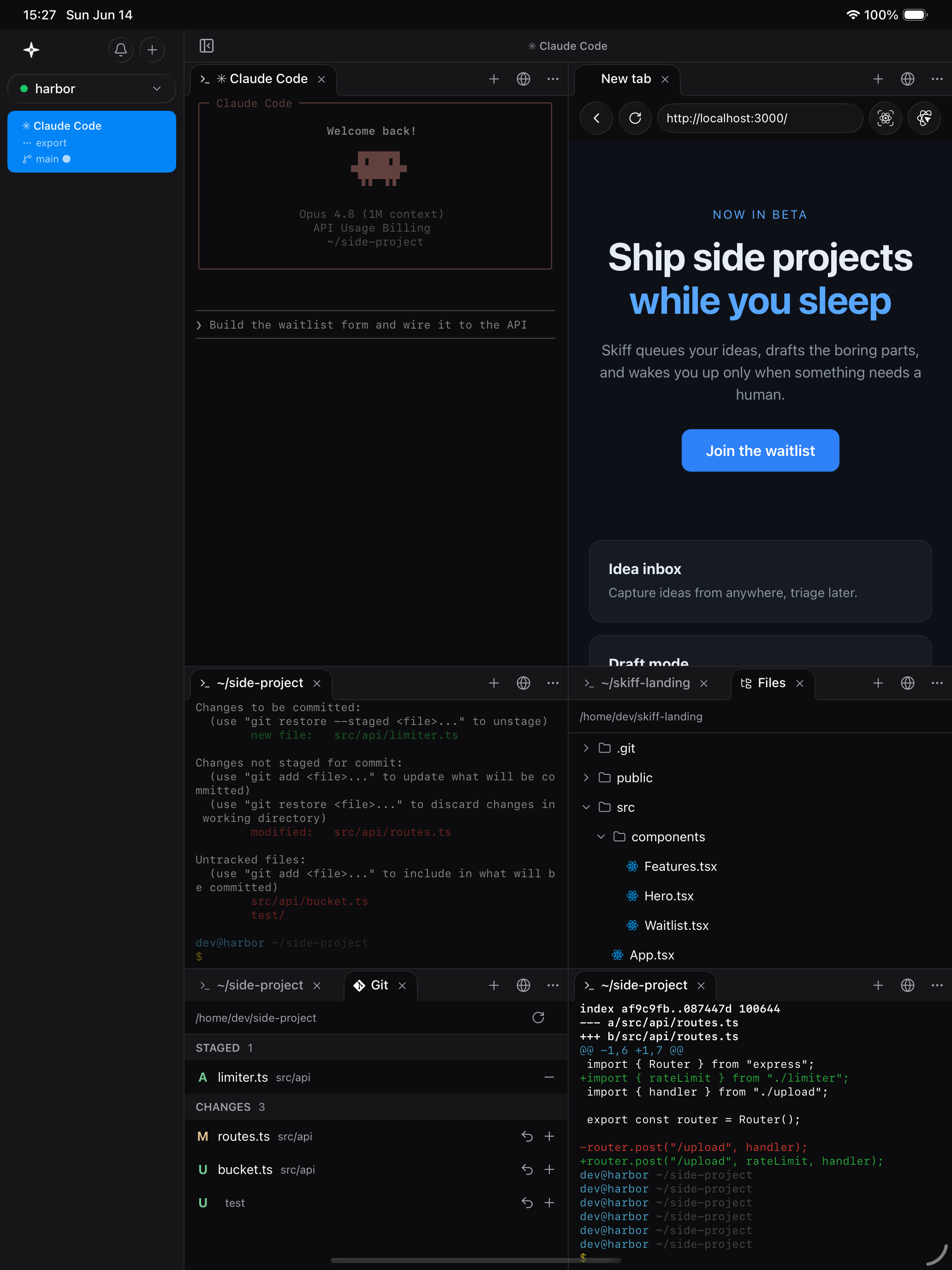
Skippr is an iPad and iPhone client built on a native terminal. SSH and mosh sessions that survive backgrounding, native notifications when an agent needs you, split panes, files and Git, and live dev-server preview over HMR. No account, no helper process.
Watch it work.
Your agent edits, the preview hot-reloads, notifications land and the diff sits right beside it.
Build something people want
The fastest way to go from idea to shipped.
Your agent edits. Your preview reloads.
Claude Code or Codex runs in a true-colour mosh terminal. Save a file and the dev-server preview hot-reloads right beside it, tunnelled over SSH.

Know the moment an agent needs you.
A pulsing ring, tab dots and push notifications show which agent finished or is waiting, even when the app is closed.
Review every change over SSH.
Open files from the tree, read unified diffs against HEAD, then stage, unstage or discard. Everything is read and written on the host.
- Direct SSH + mosh, no middle-man
- GPU-accelerated Metal terminal
- Workspaces and split panes
- ⌘F search in any terminal
Frequently asked questions
Bring your dev machine with you.
Connect over SSH and mosh, run your agents, and pick up right where you left off from anywhere.